'%20id='ico-down'%20stroke='%23000000'%20stroke-width='1.5'%3e%3cg%20transform='translate(1092.250000,%20254.750000)'%3e%3cpolyline%20id='Path-2-Copy-4'%20transform='translate(5.500000,%202.750000)%20scale(1,%20-1)%20rotate(-180.000000)%20translate(-5.500000,%20-2.750000)%20'%20points='0%200%205.5%205.5%2011%200'%3e%3c/polyline%3e%3c/g%3e%3c/g%3e%3c/g%3e%3c/svg%3e)



For many UK sole traders and landlords, HMRC’s new digital system means moving away from once-a-year reporting. Expats with overseas income, foreign property, or more complicated finances may face extra questions. You’ll keep your records digitally and submit quarterly updates through compatible software. You’ll still need to check your position at year end and pay any balance by 31 January. MTD sits within the wider 2026 self-employed tax framework rather than replacing it. Below, we cover who is affected, when the rules begin, how qualifying income and quarterly updates work, and which expat situations deserve a closer look.
This article provides general information only, not personal tax, legal, or immigration advice.
Key takeaways
- Threshold: If your qualifying income from self-employment and property was more than £50,000 in 2024 to 2025, you should be using MTD from 6 April 2026 under current HMRC rules.
- Next rollout dates: The threshold drops to more than £30,000 from 6 April 2027 and more than £20,000 from 6 April 2028, subject to any future HMRC changes.
- Qualifying income: HMRC looks at gross self-employment and property income before expenses, not profit.
- Software: You need compatible software to keep digital records, send quarterly updates, and file the year-end return. HMRC does not provide the software itself.
- Quarterly deadlines: The standard due dates are 7 August, 7 November, 7 February, and 7 May.
- Main expat warning: Foreign income, residence questions, overseas property, or SA109 issues can affect your wider UK tax position alongside MTD.
Wise: keep overseas client payments easy to track
- Receive overseas client payments in supported currencies
- Hold the money, then convert to GBP when you choose
- Review payments and conversions to match your bookkeeping

No commitment required
What Making Tax Digital means for UK sole traders
Making Tax Digital for Income Tax is the part of HMRC’s digital tax programme that changes how sole traders and landlords report self-employment and property income. In practice, it replaces the old habit of waiting until year end with a routine of keeping digital records during the year and sending summary updates through software.
Quarterly updates are not four full tax returns. HMRC describes them as summaries of income and expense totals for each business, so you do not make every tax adjustment at that stage.
Before MTD, many sole traders kept records in whatever format suited them and then filed once a year. Under MTD, the records must be digital, the updates are sent during the year, and the final tax return still brings everything together after the fourth update.
What MTD does not change
MTD does not mean you pay tax four times a year. It does not remove the year-end filing step, and it does not put limited companies or partnerships into the same regime as sole traders.
You still need accurate records, a final year-end return by 31 January, and timely payment of any tax due. The timetable for reporting changes, but the basic duty to file and pay does not.

Who needs to use MTD and when?
Under current HMRC rules, Making Tax Digital for Income Tax applies to individuals registered for Self Assessment who receive self-employment income, property income, or both, above the relevant threshold. The rollout is phased: more than £50,000 from 6 April 2026, more than £30,000 from 6 April 2027, and more than £20,000 from 6 April 2028.
MTD does not apply to everyone who uses the word self-employed. HMRC is looking at relevant self-employment and property income, so start by checking what your tax return actually contains.
Check HMRC guidance now if you:
- have both sole trader and property income
- are close to the threshold based on turnover, not profit
- recently stopped one income source but still have another
- expect residence, treaty, or exemption issues to affect your filing position
What counts as qualifying income?
Qualifying income means your total self-employment and property income before expenses. HMRC uses gross income for the entry test, not profit.
For example, if you had £52,000 of turnover from your trade and £20,000 of expenses, you are still over the £50,000 threshold for MTD entry. If you also receive gross rental income, that can count as well.
Who is exempt or outside scope?
Partnerships are not currently in scope for MTD for Income Tax, and limited companies follow different tax and filing rules. Some people are exempt automatically, while others need to apply, for example if they are digitally excluded or fall into a specific HMRC exception path.
Current HMRC guidance also creates some temporary or automatic exemptions in certain cases, including some SA109, trust, and qualifying-care situations. Check HMRC’s exemption guidance before assuming you are outside MTD, because the reason and the tax year both affect the answer.
What you need before you sign up
Leave sign-up until after you have checked the basics. Before you register, make sure you understand your qualifying income, your income sources, and whether your current records can support quarterly reporting.
Use this checklist:
- confirm whether your qualifying income is above the relevant threshold
- make sure you are registered for Self Assessment
- find your Government Gateway user ID and password
- list each self-employment and property income source separately
- remember that HMRC does not provide MTD software itself
- if you are still setting up as a sole trader, the wider admin steps in How to start a business in the UK may come first

How to choose MTD software for your setup
Start with the job the software has to do. It needs to keep digital records, send quarterly updates, and support the year-end tax return.
If you only have self-employment income, a simpler product may work. If you have self-employment plus UK or foreign property income, check that one product can handle both. If you already use spreadsheets, one route is bridging software that connects those records to HMRC, but a spreadsheet by itself is usually not enough.
Also check practical fit. Can the software support standard or calendar quarters, handle your other income for the year-end return, and work with the way you already keep records? HMRC’s software finder is the safest starting point because HMRC does not recommend a single best provider.
How to get your records and HMRC access ready
In practice, digital records mean keeping the transaction date, amount, and category in a digital format throughout the year. You still need the underlying evidence, such as invoices and receipts, even though HMRC does not receive every line item in a quarterly update.
If you are paid by an overseas client, save the original invoice currency, the amount received, any fees, and the GBP value used in your records. That makes reconciliations easier later, whether the payment lands through a Wise account, Barclays, HSBC UK, Lloyds, or another provider.
How quarterly updates and year-end filing work
Treat the MTD cycle as a sequence:
Keep your digital records up to date throughout the reporting period.
Send the quarterly update through compatible software.
Review the figures and estimate shown after the update.
After the fourth update, complete the year-end tax return with the final figures, adjustments, and other income.
Quarterly updates are cumulative. Each one runs from the start of the tax year to the end of that update period, so later submissions can correct earlier figures.
If you have no income or expenses in a period, you still need to send the update. HMRC keeps the filing obligation in place even when the business has been quiet.
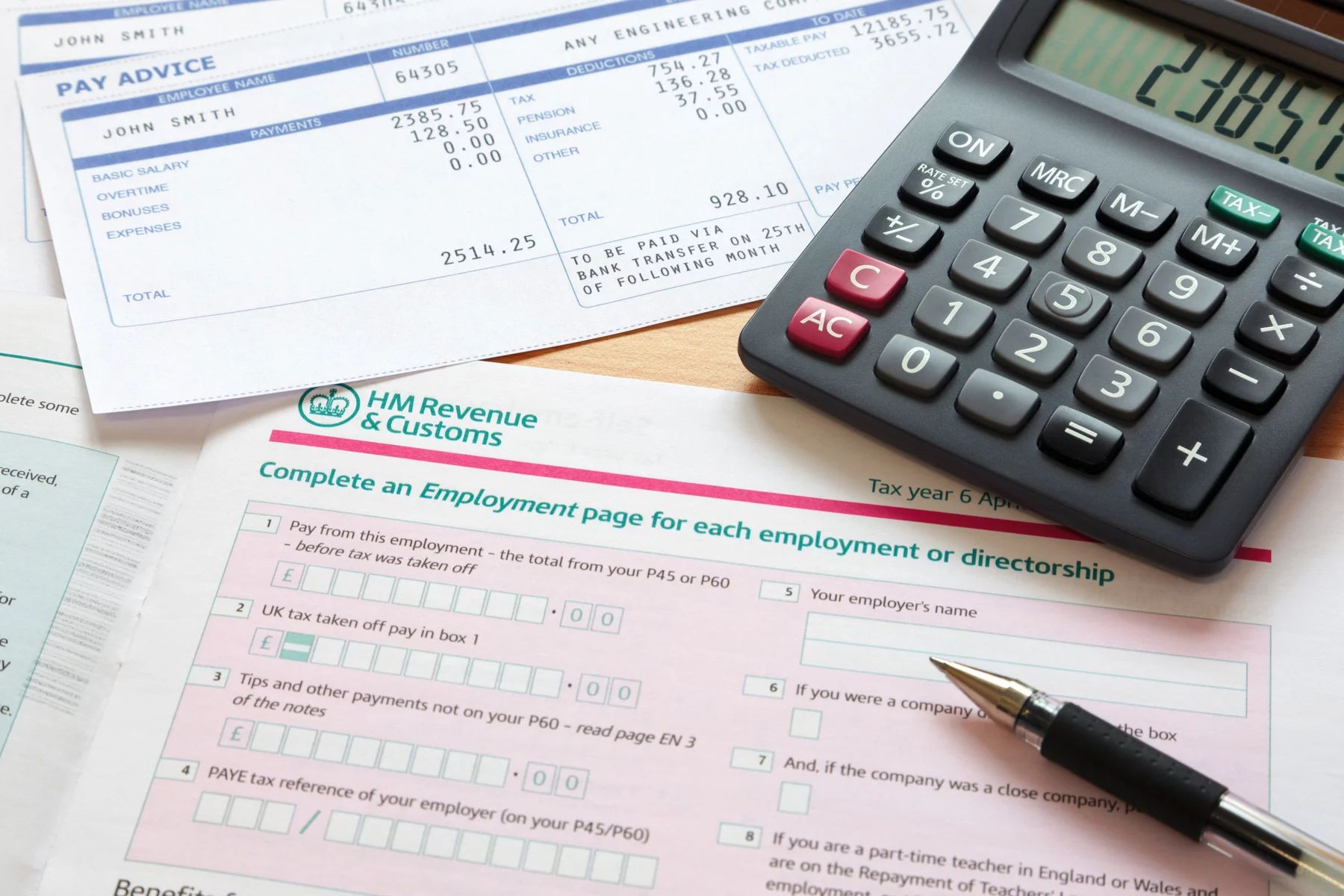
Standard and calendar update periods
Standard periods usually make sense if your accounting follows the tax year from 6 April to 5 April. Calendar periods can suit readers whose accounting runs from 1 April to 31 March, but you need to choose that option in software before you send the first update for the tax year.
| Update deadline | Standard update period | Calendar update period |
|---|---|---|
| 7 August 2026 | 6 April to 5 July 2026 | 1 April to 30 June 2026 |
| 7 November 2026 | 6 April to 5 October 2026 | 1 April to 30 September 2026 |
| 7 February 2027 | 6 April 2026 to 5 January 2027 | 1 April to 31 December 2026 |
| 7 May 2027 | 6 April 2026 to 5 April 2027 | 1 April 2026 to 31 March 2027 |
What still happens at year end?
After the fourth update, you still need to finalise the year with the figures, adjustments, reliefs, and any other income sources that belong on your return. The wider How to file income taxes in the UK in 2026 process still matters because MTD changes the reporting journey, not the final declaration.
A quarterly update is a running summary for HMRC during the year. The final tax return is where you complete the full picture and submit it by 31 January.
What expat sole traders should check first
If your working life crosses borders, do not assume MTD is the only issue on the table. Overseas clients, foreign rental income, a recent move to the UK, or uncertainty about residence can all change what else you need to report.
Take a consultant in Manchester who bills a US client in dollars and still rents out a former home in Spain. The MTD question is partly about threshold and software, but the wider filing picture may also involve foreign income reporting, exchange-rate records, and residence questions.
Foreign income, residence and SA109 checks
Not every expat needs SA109, and foreign income does not automatically change your MTD status. It is usually a warning sign to check further when you:
- arrived in the UK recently or left part way through a tax year
- split your time between countries and are unsure where you were tax resident
- expect split-year treatment to apply, are also tax resident in another country, or otherwise expect to include SA109 for a residence-related reason
- included SA109 on your 2024 to 2025 return, because current HMRC guidance says that can keep you out of MTD for 2026 to 2027
If none of those points apply and your position is purely UK based, SA109 may not be relevant. But if residence is part of the picture, the wider UK Non-Resident Tax Rules for Expats discussion often matters alongside MTD.
If you also have property income or overseas clients
Property income can bring you into scope sooner than expected because HMRC adds relevant self-employment and property income together for the threshold test. That includes foreign property income for many UK tax residents.
For example, a UK tax resident designer in London with £28,000 of gross freelance income and £24,000 of gross rental income from an apartment abroad in the 2024 to 2025 tax year would have £52,000 of qualifying income. That would put them above the £50,000 threshold used to determine whether MTD applies from 6 April 2026.
Overseas clients create extra record-keeping work because the client sits outside the UK. You still need clean invoices, payment records, fees, and GBP conversions. The payment admin side can overlap with Expatica’s guide to getting paid by a foreign company in the UK, but you should still verify your MTD scope against HMRC’s qualifying-income and foreign-income guidance.
Common MTD mistakes and penalties
Common mistakes include:
- Using profit instead of turnover: Check gross self-employment and property income before expenses.
- Choosing software too late: Pick and test your setup before the first mandatory quarter arrives.
- Assuming a spreadsheet alone is enough: Make sure it connects to a compliant submission route.
- Ignoring quiet periods: Send the quarterly update even if nothing much happened.
- Treating quarterly updates as the full job: Leave time for the year-end return and payment deadline.
A rushed setup also tends to leave gaps in your records and means going back to fix earlier figures.
What happens if you miss a deadline?
For the 2026 to 2027 tax year, HMRC says there are no penalty points for late quarterly updates. You still need to send those updates before you can file the year-end return, and normal consequences still apply for late annual returns or late payment where relevant.
After 2026 to 2027, late quarterly updates move into a points-based system. Miss a deadline and you get a point, and once you reach the threshold of 4 points, HMRC can charge a £200 penalty, with further £200 penalties for later missed deadlines.
How a Wise account can help you stay organised
Some expat sole traders are paid by overseas clients, keep part of their cash flow in another currency, or want a cleaner record of what arrived before converting to pounds. In those cases, a Wise account can help you hold supported foreign-currency balances and review incoming payments, conversions, and transfers in one place.
That does not make it tax software. A Wise account is not MTD software, does not submit quarterly updates to HMRC, and does not decide how your income should be taxed.
For example, you could hold part of a client payment briefly before converting what you need into GBP, keep part aside for a future HMRC bill, or cross-check incoming amounts against your bookkeeping before quarter end. If you want to compare it with your current setup, check Wise’s latest UK receiving options, supported currencies, and pricing before you decide.
Conclusion
Making Tax Digital changes the reporting routine for many UK sole traders rather than replacing the wider Self Assessment process. The main preparation is to confirm your qualifying income, choose compatible software, and keep digital records consistently throughout the year. Expats with foreign income, overseas property, or residence questions may need additional checks alongside the MTD rules. Reviewing your setup before your first mandatory quarter can make the transition much easier to manage.
FAQ
Making Tax Digital for sole traders in the UK
Does Making Tax Digital replace Self Assessment for sole traders? 
No. Self Assessment and MTD work together: MTD changes how you report through the year, but you still complete a year-end tax return through compatible software.
What counts as qualifying income for MTD?
For MTD, qualifying income is the self-employment and property income figure HMRC uses to decide when you start. It is generally based on gross income before expenses, so check HMRC’s latest definition carefully.
Can I use spreadsheets for Making Tax Digital?
Sometimes, but not usually on their own. A spreadsheet needs a compliant way to connect and submit to HMRC, so many readers use bridging software or move to a full MTD product instead.
What if I’m an expat with foreign income as well as UK sole trader income?
MTD may be only one part of your wider UK tax position. If you are an expat sole trader with foreign income, residence, treaty, or overseas property issues, check those separately because they can affect the wider reporting position alongside MTD.
Do I need MTD if I trade through a limited company?
Not under the sole trader rules covered here. Limited companies follow different tax and filing rules, so do not apply sole trader MTD guidance to a company setup.
Sources
Expatica’s experts are all about providing the most up to date and accurate information. All guides are fact checked, and whenever we use external sources (like government websites or research papers) we’ll make a note of them here so you can check them out too.
- Main official collection covering Making Tax Digital for Income Tax, HMRC — Making Tax Digital for Income Tax
- Official step-by-step process for sole traders and landlords, HMRC — Making Tax Digital for Income Tax for sole traders and landlords: step by step
- Sign-up timing, requirements, and registration guidance, HMRC — Sign up for Making Tax Digital for Income Tax
- Criteria for choosing compatible MTD software, HMRC — Choose the right software for Making Tax Digital for Income Tax
- Official search tool for compatible MTD software, HMRC — Find software that works with Making Tax Digital for Income Tax
- Quarterly update rules, periods, and submission deadlines, HMRC — Send quarterly updates
- Late-submission and late-payment rules for MTD, HMRC — Penalties for Making Tax Digital for Income Tax
- Digital exclusion and other MTD exemption routes, HMRC — Find out if you can get an exemption from Making Tax Digital for Income Tax
- General UK guidance for taxpayers with non-UK income, GOV.UK — Tax on foreign income
- Residence, split-year, and treaty-related Self Assessment supplementary guidance, GOV.UK — Residence and foreign income and gains (SA109)
- Plain-English video overview of Making Tax Digital for self-employed taxpayers, Association of Taxation Technicians — Making Tax Digital for the Self-Employed
- Plain-English information on UK tax issues for people on lower incomes, Low Incomes Tax Reform Group
- Current rollout thresholds and start dates, HMRC — Find out if and when you need to use Making Tax Digital for Income Tax
- Definition and calculation of qualifying income for MTD, HMRC — Work out your qualifying income for Making Tax Digital for Income Tax
- UK Wise account information and supported account features, Wise account: Multi-currency account | Foreign currency account
- UK fees and receiving options for a Wise account, Wise Account Fees for Receiving & Adding Money
- Overview of supported ways to receive money from abroad, Wise — Receive and request money from abroad